


Robot Craft Sandbox
3.411.00 Reviews
App Specs
- Version
- 4.0.1.02
- Updated On
- License
- Free
- Downloads
- 500,000+
- Developer
- TapTap Lab
- Categories
- Simulation
- Platform
- Android
Screenshots
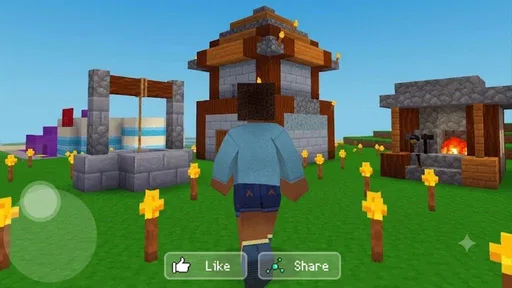
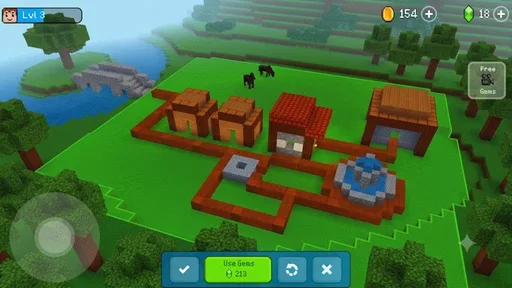
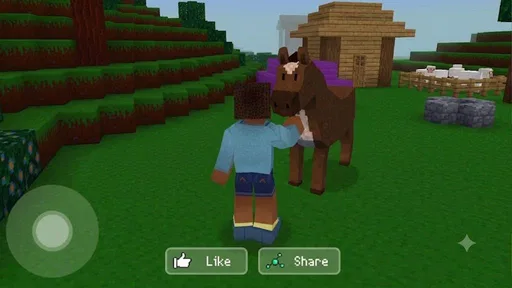
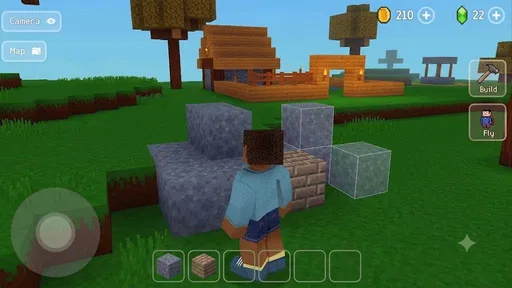
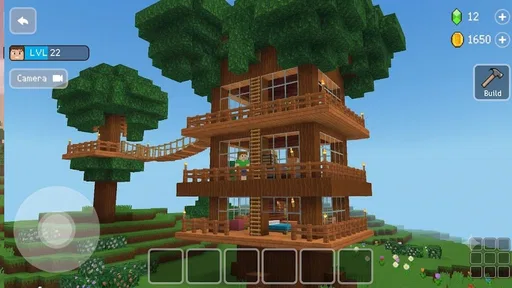
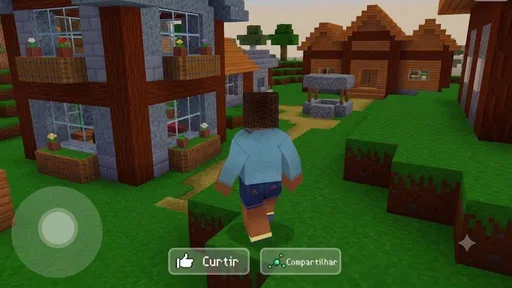
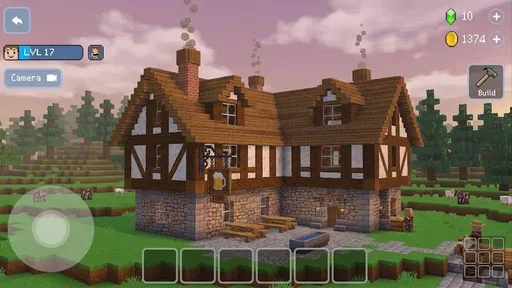
 Analysis by AppCompare
My first impression of Robot Craft Sandbox was that it wants me to learn by doing rather than by following a long explanation. I enter a futuristic robot setting, start building or crafting, and then use what I have made to explore. That simple sequence gives the game its identity: the appeal is less about reaching a fixed finish line and more about seeing what happens when I change the world around my robot.
TapTap Lab presents this as a free simulation game for players who enjoy creative experimentation. It is available for Everyone, which makes it approachable for younger players as well as adults looking for a relaxed building experience. The game has passed the half-million-install mark, and its current version is 4.0.1.02. Those details matter mainly because they place it among accessible, casual sandbox games rather than a premium, story-heavy adventure.
How the build-and-explore loop feels in practice
I find the build-and-explore loop most satisfying when I give each session one small purpose, then let the result suggest what to try next. A quick check of whether a creation is useful, easy to recognize, or simply fun to move around can keep experimentation from turning into aimless tinkering. That practical approach also makes it easier to tell whether a rough result needs another adjustment or whether it is time to start fresh.
The first action is more important than the setting
The most useful way to approach the game is to treat the opening build as a test, not as a permanent masterpiece. I start with a small idea, place or craft what seems necessary, and then move into the world to see whether the result is actually useful. That first action creates a clear question: will this creation make exploration more interesting, easier, or simply more entertaining?
This is where the sandbox format works well. Instead of asking me to memorize a complicated objective, it gives me room to make a choice and observe the outcome. A cautious player can begin with a compact project, while a more imaginative player can immediately try to shape a larger robot-themed environment. I prefer the smaller approach because it makes the feedback easier to read. If I change too many things at once, I cannot tell which decision produced the result.
The futuristic setting also gives ordinary construction a stronger sense of purpose. I am not just arranging objects for decoration; I am imagining a working robot world and then testing whether it feels convincing. That distinction is subtle, but it is what separates this experience from a basic room-decorating game. The setting encourages me to think in terms of machines, movement, and discovery, even when the immediate task is simply to create something.
One practical tip is to build with the next exploration trip in mind. I get more value from a project when it answers a specific need, such as creating a recognizable base area or making a route easier to understand. This turns crafting into preparation rather than an isolated activity. It also prevents the common sandbox problem of spending time on construction without knowing why I am doing it.
Worth Reading Before You Choose

EA SPORTS FC Mobile 26 Is a Bigger Football Game, but It Takes Time

Flipboard Shows What News Apps Must Do Beyond the Feed

Switching to Android Auto Means Rethinking Your Driving Routine

Google Calendar Makes a Crowded Week Easier to Manage

Ludo King Makes the Most of the Minutes Between Plans

Baby Panda World Brings Quick Play to Modern Phones, but Its Game Library Feels Busy
Feedback arrives through experimentation
The game’s feedback rhythm is based on action, observation, and adjustment. I make a change, explore the result, notice what feels useful or awkward, and then return to improve the idea. That rhythm is more satisfying than simply collecting rewards from a checklist because the player’s own decision remains at the center of the process.
For me, the strongest moments come after an imperfect attempt. A design that looks good from one angle may feel inconvenient once I move around it. A clever-looking arrangement may not help exploration as much as expected. Those small disappointments are valuable because they tell me what to alter next. The game works best when I accept that a first version is a prototype, not a final answer.
There is also a useful difference between visual feedback and practical feedback. A creation can make the robot world feel more personal without changing how I play, while another change may improve the way I navigate even if it is not especially attractive. I recommend deciding which of those goals matters before starting a build. Players who want decoration will judge success differently from players who want a more efficient route through the world.
A second non-obvious tip is to leave deliberate empty space. In a sandbox, it is tempting to fill every available area immediately, but open sections make later experiments easier. They give me somewhere to extend a project, compare two ideas, or create a clearer path. This matters especially when I return after a break and need to understand my own layout quickly.
The feedback is not always as dramatic as in an action game. Players expecting constant combat intensity, rapid unlocks, or a tightly directed campaign may find the response too gentle. The reward often comes from recognizing a better arrangement or discovering a more enjoyable way to move through the environment. That makes the experience thoughtful, but it also means the game asks me to supply some of the motivation myself.
What counts as a reward here
In my experience, the main reward is not a single victory screen. It is the combination of a more interesting creation, a clearer understanding of the world, and the satisfaction of seeing an idea work. The game’s free-form structure makes personal progress more important than comparing my result with someone else’s.
That kind of reward suits players who enjoy tinkering. I like being able to look at a small construction and remember why I made it, what failed, and how the revised version improved the experience. The reward is therefore partly practical and partly creative. I am building a space that reflects my choices, then using that space to generate the next idea.
There is a trade-off, though. A player who needs explicit milestones may wonder whether a session has produced enough progress. In a conventional simulation game, the reward might be a new tool, a clear rank, or a defined objective. Here, the satisfaction depends more on the quality of the experiment. If I am not in the mood to invent a goal, the open structure can feel less directed than expected.
I find it helpful to set a small personal challenge before playing. For example, I might decide to create one useful landmark, improve an awkward area, or explore after making one meaningful change. This gives the session a finish point without taking away the freedom that makes the sandbox appealing. It also helps answer a question many new players have: what should I do when there is no obvious mission telling me where to go?
The game is particularly suitable for short creative breaks. I can enter with one modest intention, make a change, inspect the result, and stop when the idea feels complete. It can also support longer sessions when I want to expand a concept gradually. The difference is that longer play requires more self-direction; the game does not need to force me forward because its purpose is to let me decide what deserves attention.
Why another session begins after a reset
A good sandbox reset does not mean that the previous session was wasted. It means I return with new information. After testing one construction, I know more about what I enjoy, what feels cluttered, and which choices are worth repeating. That knowledge becomes the reason to begin again.
I often find myself restarting with a narrower plan. Instead of trying to create an entire futuristic world at once, I focus on one area or one idea. The second attempt is usually better because I have already learned where my first approach became confusing. This action-feedback-reset cycle gives the game a gentle form of progression even when the progress is mainly in my decisions rather than in a traditional character ladder.
Resetting can still be frustrating if I become attached to a design that does not work. The best way around that is to treat early sessions as sketches. I would not recommend spending all my energy perfecting the first arrangement. A rough build gives me more freedom to change direction, while an overworked build can make every adjustment feel like a loss.
This is also where the game differs from more structured simulation alternatives. A management simulator usually rewards efficiency inside a fixed system, and a story-driven adventure gives me authored objectives. Robot Craft Sandbox sits closer to a creative toy with exploration attached. Its strength is flexibility; its weakness is that the player must create the reason to continue.
For a realistic everyday scenario, I can imagine using it after work or school when I want something more active than watching a video but less demanding than a competitive game. I might spend a short session improving a robot base, test the change by exploring, and close the game once the new layout feels right. The next time I open it, I have a natural starting point: continue the idea, rebuild it differently, or abandon it and try another concept.
Who will enjoy it, and who should choose something else
I would recommend this game to players who like building, experimenting, and exploring without needing a strict campaign. It is a good match for someone who enjoys asking “what if?” and then testing the answer inside a playful robot setting. Younger players may appreciate the accessible age rating, while adults can approach it as a low-pressure creative break.
I would be more cautious about recommending it to someone who wants a deep economic simulation, a carefully written narrative, or constant action. The futuristic theme may suggest a more intense mechanical adventure than the sandbox format actually provides. Players who want every session to deliver a clearly measured achievement may also prefer a more goal-driven alternative.
The game’s rating sits at an average of 3.4 from roughly six hundred ratings, with a small group of written reviews. I read that as a sign to keep expectations balanced rather than as a reason to dismiss it. The concept has a clear audience, but the open-ended design will not satisfy everyone equally. Some players will enjoy the freedom; others will see the same freedom as a lack of direction.
Because it is free, it is easy to try without committing to a purchase. That makes the decision simple: give it a short session and see whether the build-explore-adjust rhythm feels rewarding. I would not judge it by the standards of a large premium simulation. Its value depends on whether the player enjoys creating personal goals inside a compact robot world.
My verdict on the complete loop
Robot Craft Sandbox works when I approach it as a cycle rather than a list of tasks. I take a first action by building or crafting, receive feedback through exploration, gain the reward of a more convincing or useful world, reset my assumptions after an imperfect attempt, and return because the next version might work better. The real progression is learning how to turn a rough idea into a world I want to revisit.
TapTap Lab has chosen a friendly direction for a simulation game: creative construction combined with futuristic exploration. The result is approachable and easy to understand, but it asks me to bring my own objectives. That is both its most appealing feature and its biggest limitation. When I want freedom, it gives me room to experiment. When I want a firm mission, it can feel too open.
My final recommendation is positive for patient, creative players who enjoy small experiments and do not need every reward to be announced. Start with a modest build, keep some space for revisions, test each change through exploration, and treat the first version as a sketch. If that process sounds enjoyable, this free game is worth trying. If you prefer tightly scripted progress or complex simulation management, a more structured alternative will probably be a better fit.
With its Everyone rating, broad accessibility, and robot-focused sandbox identity, Robot Craft Sandbox is easiest to appreciate when played at its own pace. I would return not because it forces me to finish one grand objective, but because a small change can create a new question—and answering that question is what starts the next session.
Pros
- Creative robot-building tools support highly personalized designs.
- Sandbox gameplay encourages experimentation without strict objectives.
- Physics-based interactions make testing creations entertaining.
- Suitable for short play sessions and casual construction.
- Offers a playful way to explore basic engineering concepts.
Cons
- Controls may take time to master on smaller phone screens.
- Large or complex creations can affect performance on older devices.
- The open-ended format may feel directionless to some players.
- Progression and long-term goals may be limited.
- Ads or optional purchases may interrupt the building experience.
FAQs for Robot Craft Sandbox
What is Robot Craft Sandbox?
Robot Craft Sandbox is a creative building and experimentation game focused on constructing customizable robots and testing them in an open sandbox environment. Players can assemble machines from different parts, adjust their designs, and explore how their creations behave. It is aimed at users who enjoy engineering-style gameplay, experimentation, and creating unusual robotic vehicles rather than following a strictly linear story.
How does the gameplay work in Robot Craft Sandbox?
The main gameplay revolves around building a robot from available components and then putting it through practical tests. You can combine structural parts, movement systems, weapons, tools, or other mechanical elements, depending on the version available on your device. After building, you can control the robot, experiment with its abilities, identify weaknesses, and rebuild it to improve performance or create something completely different.
Is Robot Craft Sandbox suitable for children?
Robot Craft Sandbox can be appealing to children and younger players because it encourages creativity, construction, and problem-solving. However, parents should review the game’s content, control complexity, advertisements, and any available in-app purchase options before allowing unsupervised play. Some robot-building features may require patience and experimentation, so younger children might need help understanding the controls and assembling a functional creation.
Does Robot Craft Sandbox require an internet connection?
The basic building and sandbox activities may be playable without a constant internet connection, but this can depend on the mobile version and the features included by the developer. Online connectivity may still be required for advertisements, updates, cloud features, multiplayer elements, or downloading additional content. It is best to launch the game once while connected and check which functions remain available in offline mode.
Are there in-app purchases or advertisements in Robot Craft Sandbox?
Before downloading Robot Craft Sandbox, users should check its current store listing for information about advertisements, optional purchases, and other payment-related features. Free mobile games commonly include ads or offer upgrades, cosmetic items, extra components, or other content through in-app purchases. If children will use the app, enabling parental controls and requiring purchase confirmation can help prevent accidental spending.


